


Smart Clean Space
4.211.00 Reviews
App Specs
- Version
- 1.0.3
- Updated On
- License
- Free
- Downloads
- 100,000+
- Developer
- Pervaiz Studio
- Categories
- Tools
- Platform
- Android
Screenshots
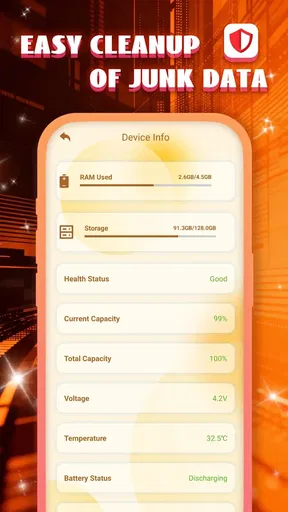
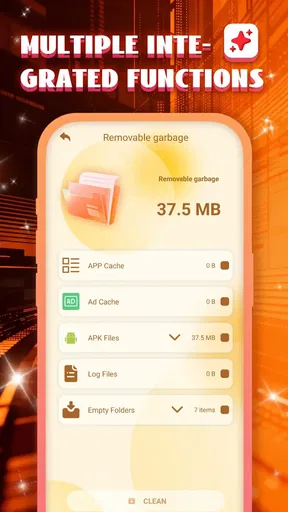
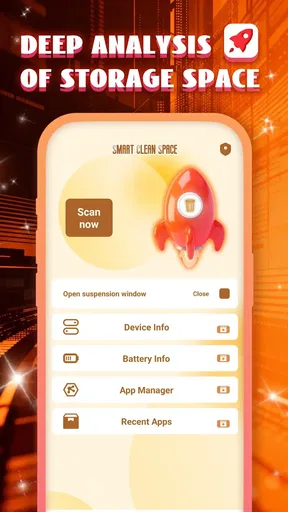
 Analysis by AppCompare
When a phone feels crowded, the hard part is not always finding a cleaner; it is deciding what is safe to remove and whether a quick cleanup will make any lasting difference. Smart Clean Space is a free tools app from Pervaiz Studio that aims to make that routine easier. I see its appeal in the straightforward idea of checking storage and app clutter in one place, though I would treat any promise of a dramatic speed or battery change with care. A cleanup can help with space management, but it cannot turn older hardware into a new phone.
Where a cleanup tool can genuinely help
The most useful reason to try a phone-cleaning app is often practical rather than magical: you need room for a download, a system update, or a batch of photos, and you want a clear starting point. A focused scan can make forgotten files and little-used apps easier to notice. The decision still belongs to you. Before removing anything, I would check whether it contains documents, saved media, or settings I may want later, rather than treating every item labelled as clutter as disposable.
That distinction matters because storage pressure and sluggish performance are different problems. If a device is nearly full, clearing files may make it easier to save new content. If it is slow because of an aging battery, a demanding app, or limited hardware, a cleaner may have little effect. I would use the app as a prompt to inspect the phone, not as a guaranteed repair button.
A sensible routine beats repeated one-tap cleaning
My practical approach would be to scan when storage becomes inconvenient, review the results, and remove only items I recognize. For example, before travelling, I might check available space before downloading maps or entertainment. If the scan points to large files, I would first confirm that copies are backed up or that I can replace them. This takes a little longer than approving everything at once, but it lowers the chance of deleting something I later need.
I would also avoid making cleanup an automatic daily habit. Repeatedly clearing temporary data can mean apps have to rebuild caches, which may use time and data when I open them again. A periodic check tied to a real need—such as running short on storage—is more useful than chasing a constantly empty phone. This is a small but important trade-off: convenience is valuable, yet the safest cleanup is a selective one.
For app clutter, a review of what I actually use is more dependable than uninstalling solely because something has not been opened recently. A travel, banking, or emergency app may sit untouched for months and still be worth keeping. I would look at each suggestion in context: whether the app stores information locally, whether I remember my login, and whether I might need it offline. That makes app management a decision aid rather than an excuse to remove things indiscriminately.
What is Smart Clean Space All About?
So, Smart Clean Space is basically your phone’s personal assistant for keeping things tidy. It’s designed to optimize your device by clearing out unnecessary files, boosting performance, and managing your apps efficiently. I was skeptical at first, but this app actually makes your phone feel brand new.
Worth Reading Before You Choose

EA SPORTS FC Mobile 26 Is a Bigger Football Game, but It Takes Time

Flipboard Shows What News Apps Must Do Beyond the Feed

Switching to Android Auto Means Rethinking Your Driving Routine

Google Calendar Makes a Crowded Week Easier to Manage

Ludo King Makes the Most of the Minutes Between Plans

Baby Panda World Brings Quick Play to Modern Phones, but Its Game Library Feels Busy
The Installation Experience
Downloading and installing the app was a breeze. The Android version requires Android 10 or later, and the app is free, so it is easy to consider without paying up front. Its Everyone content rating also makes its intended audience broad. Once installed, the app greets you with a clean and intuitive interface that makes navigation super easy.
The current version is 1.0.3, and the release date is April 29, 2026. I would still check that the app suits the particular phone I use before making it part of a regular maintenance routine. A simple interface is a plus, but it does not remove the need to read scan results carefully or to understand what a cleanup action will affect.
Key Features That Stand Out
Let’s dive into what makes this app tick:
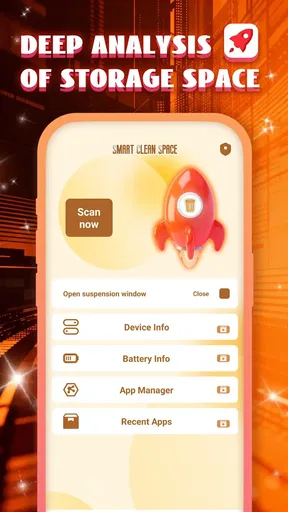
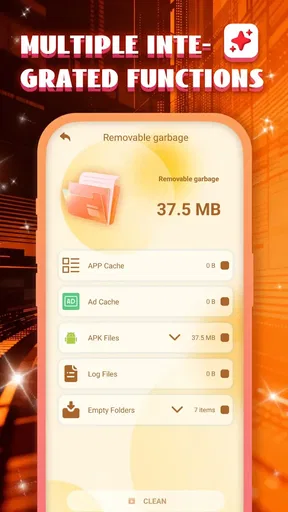
- Junk File Cleaner: This feature scans and deletes cache files and other digital clutter you didn’t even know existed. It freed up a surprising amount of space on my phone.
- Memory Booster: Ever noticed your phone lagging? This tool helps clear background apps and processes, speeding up your device instantly.
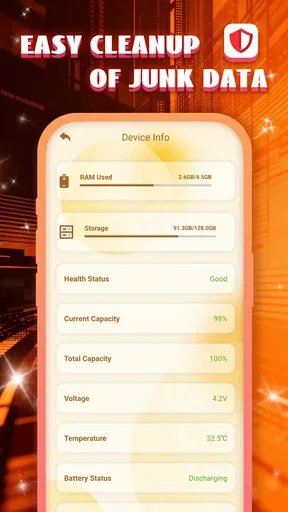
- Battery Saver: By detecting power-hogging apps, it extends your battery life, which is a lifesaver for those long days out.
- App Manager: It organizes your apps, offering suggestions on what you might want to delete based on usage. Perfect for cleaning out those apps you downloaded once and never used again.
These tools are most helpful when they lead to a specific, informed action. If I am unsure why storage is disappearing, an app manager can help me decide which installed apps deserve a closer look. If I am preparing for a long day away from a charger, a battery-related check may help me identify an app worth reviewing. I would not assume, though, that closing background tasks or running a boost is always beneficial; phones manage many processes themselves, and an app that refreshes after being closed may simply use resources again.
Using Smart Clean Space
Getting started was simple. I just fired up the app, and it immediately began analyzing my phone’s status. The results were eye-opening! My device had over 2GB of junk files. A quick tap and all that clutter was gone. What I loved was the real-time feedback the app provided, showing me exactly how much space I was saving.
In ordinary use, I would make the scan part of a deliberate check rather than a reflex. Imagine discovering before a weekend trip that there is not enough room for a few offline files. I would scan, inspect the proposed cleanup, and then decide whether to clear temporary items or remove an app I genuinely no longer need. The order matters: reviewing first protects useful downloads, while an app removal can free space more substantially if the app has accumulated local content.
That workflow also gives a fairer way to judge the result. A number on a cleanup screen can look impressive, but the practical test is whether I can now do the thing that prompted the scan. Can I save the photos, install the update, or download what I need? If yes, the cleanup served its purpose. If not, I would look at large personal files and individual apps instead of repeating the same scan and expecting a different outcome.
The memory boost feature was like a magic trick. I tapped the button, and my phone’s speed noticeably improved. It’s perfect for those moments when you need your device to be at its best, like when you’re gaming or streaming.
I would be more cautious about relying on a boost before a demanding task. If a game or stream is already running well, closing background apps may not improve it, and reopening them can add friction. If the phone is genuinely struggling, I would first close an app that is frozen, check whether storage is nearly full, and restart the device if needed. A cleaner is convenient for a quick overview, but it should not replace those basic troubleshooting steps.
How it compares with built-in phone tools
Most phones already offer some way to inspect storage and remove apps, so the main question is whether a dedicated cleaner makes that work easier. Built-in settings are often the better choice when I want direct control over a specific app’s storage or want to manage files without adding another tool. A cleaner can be more approachable when I prefer a single place to review several kinds of maintenance, but I would compare its suggestions with the phone’s own storage screen before deleting anything important.
Manual cleanup is slower, yet it gives me the clearest view of what I am removing. A dedicated tool trades some of that step-by-step control for convenience. For someone who is comfortable browsing folders and app settings, the built-in route may be enough. For someone who wants a guided overview and a nudge to revisit unused apps, a separate tool may feel more manageable. I would choose based on that preference, not on the assumption that a third-party cleaner can bypass the limits of the operating system.
Does It Really Make a Difference?
After a week of using Smart Clean Space, my phone was noticeably quicker, and the battery life had improved. The app manager was particularly helpful in identifying apps that were just sitting there, taking up space. I felt a sense of achievement as I uninstalled them, knowing I was making my phone leaner and meaner.
My overall judgement is that its clearest value is helping me notice and act on clutter, especially when I have a concrete storage problem. I would be less confident attributing every change in speed or battery life to a cleanup, because phone performance can vary with what I am doing, which apps are active, and how much free space remains. If the phone still drains quickly after I have reviewed unused apps, I would investigate battery use in system settings rather than repeatedly running a cleaner.
The app has an average rating of 4.2 from 107 ratings, and it has passed 100K installs. Those figures suggest that many people have tried it, but they do not tell me whether it fits every phone or every cleanup style. I would treat them as background when deciding whether to try a free utility, then judge it by whether its scan is understandable and its suggestions are easy to verify.
Who should try it—and who may prefer another route
I would recommend giving it a look if storage clutter feels confusing, if you want a guided way to review installed apps, or if you prefer a single maintenance screen to hunting through settings. It is especially suitable for someone who is willing to pause and check what a proposed action means. The useful habit is not simply pressing a cleanup button; it is using the scan to make a better-informed choice about the phone.
I would skip it if I already manage storage comfortably through the phone’s built-in settings, or if I expect a cleaner to fix weak hardware, a worn battery, or every cause of lag. It is also not the right approach for anyone who wants an app to delete files automatically without review. When personal photos, work documents, or offline media are involved, manual inspection is worth the extra time.
There is another sensible boundary: if a particular app is using too much storage or battery, addressing that app directly is often clearer than running a broad cleanup. I would inspect its storage or usage in the phone’s settings, then decide whether to clear its data, change how I use it, or uninstall it. A general utility is most useful for orientation; it is not always the best tool for diagnosing one troublesome app.
Final Thoughts
Overall, Smart Clean Space is a handy tool for anyone looking to optimize their phone’s performance. It’s user-friendly, effective, and doesn’t demand a lot from you. Just a few clicks, and your device feels like new. If you’re tired of your phone’s sluggish performance and endless clutter, give this app a try. You’ll thank me later!
I would approach that recommendation with one practical expectation: use it to find manageable clutter, not as a promise that every phone will become faster or last longer between charges. Pervaiz Studio’s free utility is an approachable option for people who want help reviewing a crowded device, while careful users who already know their way around storage settings may not need another layer. If you try it, make each cleanup answer a real need, read before removing, and keep the phone’s built-in controls in reach for anything more specific.
Pros
- Intuitive interface for easy navigation.
- Efficiently boosts device performance.
- Customizable cleaning schedules.
- Minimal impact on battery life.
- Comprehensive junk file deletion.
Cons
- Contains ads in the free version.
- Occasional false positives in scans.
- Limited features without premium.
- Requires frequent updates.
- Some features need internet access.
FAQs for Smart Clean Space
What is Smart Clean Space and how does it work?
Smart Clean Space is a mobile application designed to optimize your smartphone by cleaning junk files, managing storage, and boosting overall performance. It works by scanning your device for unnecessary files, duplicate photos, and cache, allowing you to free up space and improve speed with just a few taps.
Is Smart Clean Space safe to use on my device?
Yes, Smart Clean Space is safe to use. The app is designed with user privacy and security in mind, ensuring that no personal data is accessed or shared without permission. It focuses only on cleaning unnecessary files and optimizing device performance without altering any critical system files.
Does Smart Clean Space support both Android and iOS?
Smart Clean Space is available for both Android and iOS devices. The app is optimized for each platform, ensuring seamless performance and user experience. Users can download it from Google Play Store for Android or the App Store for iOS, with compatible versions for different operating systems.
Are there any in-app purchases or subscriptions in Smart Clean Space?
Smart Clean Space offers both free and premium versions. While the free version provides basic cleaning features, the premium version unlocks advanced tools such as deep cleaning, real-time monitoring, and ad-free experience. Users can choose to make a one-time purchase or subscribe for additional features.
What are the main benefits of using Smart Clean Space?
Smart Clean Space helps enhance device performance by freeing up storage, removing junk files, and optimizing memory usage. It can significantly speed up your device, extend battery life, and improve overall usability. Regular use ensures your smartphone remains clutter-free and operates efficiently.


